 The future of identity operations is here. Meet Persona AI →

Verify users in AI chats

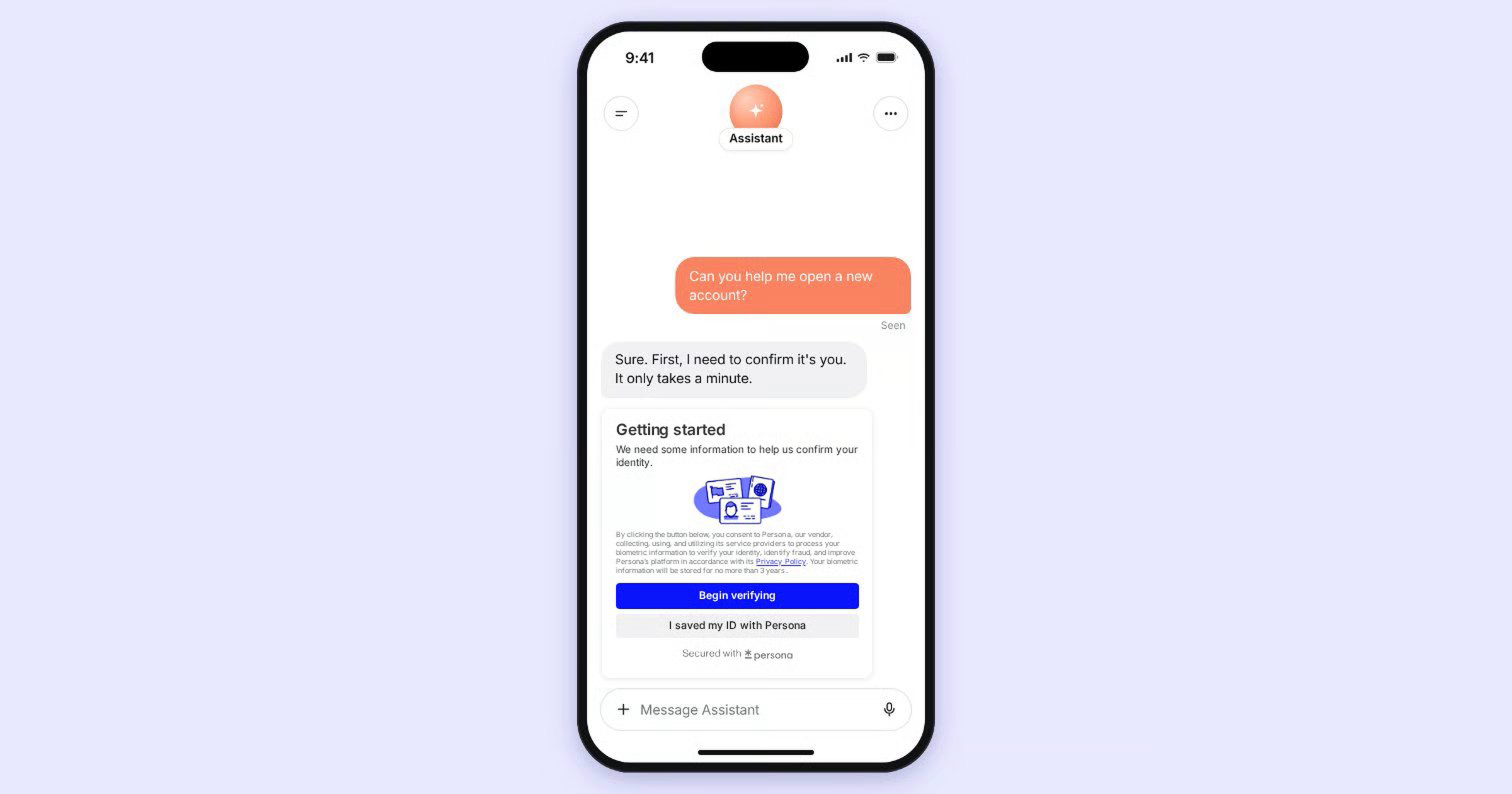


Many people want to open accounts, book appointments, and make purchases with AI assistants. But serving users through chat poses a problem for regulated businesses. These companies often have to run Know Your Customer (KYC), anti-money laundering (AML), or age verification checks to maintain compliance, and chat interfaces aren’t built with those requirements in mind.
Today, most companies have to compromise and send users to a separate app or webpage, which interrupts the conversation. However, securely adding identity verification (IDV) can help organizations stay aligned with compliance requirements without unnecessary friction and drop-off.
How identity verification in AI chat works
With Persona, you can securely verify users directly in your AI chat experience to align your requirements and goals with users’ expectations. Here’s how it works when your users are on a mobile device:
You decide when to request verification: Your rules determine when to require verification, such as when someone wants to create an account for the first time or asks the assistant to take a high-risk action. Keeping these rules in your code, and out of the model’s instructions, means a user can’t talk the assistant into skipping the IDV request.
The verification process starts within the chat: Persona’s Mobile software development kit (SDK) is integrated with your mobile experience and AI chat. Behind the scenes, it creates a new Inquiry based on your templates.
The user submits the requested information: You can choose the types of checks you want to run, including database, document, government ID, and selfie checks. With Dynamic Flow, you can also adjust the requirements based on risk signals in real time.
You receive the results and tell the AI app: For security, your AI assistant doesn’t receive any of the information directly. Instead, Persona sends the results via API or webhook to your servers. You can then tell the AI app whether the user is verified.
The experience works differently when users chat with your AI assistant via a browser instead of a mobile app. In those situations, the Persona verification flow may open in a new browser tab. When users are on a computer rather than a mobile device, a device handoff with a QR code or short link offers the most secure and seamless experience.
Different setups based on where your users are chatting
The right setup depends on where your chat runs and what device the user is on. For security and usability reasons, Persona generally doesn’t recommend nesting iframes or allowing users to capture an ID or selfie directly in the chat window instead of using the Persona Mobile SDK.
Here’s what we recommend for six common setups:
| Where the chat runs | Device | Recommended option | Fallback |
|---|---|---|---|
| Your website | Desktop | Handoff to a phone with a QR code or short link | Webcam capture on the page if every embedded layer allows camera access |
| Your website | iPhone browser | Persona in a full browser tab, then back to the chat | None |
| Your website | Android browser | Persona in a full browser tab, then back to the chat | None |
| Your app | iPhone | Persona Mobile SDK | App Clip link |
| Your app | Android | Persona Mobile SDK | None |
| A partner’s app | iPhone or Android | Persona in a full browser tab | None, because a mobile SDK is a separate integration the partner builds |
Get started
See the setup guide to learn more about how identity verification inside AI chat can work, along with the current limitations and requirements. If you’re building or supporting chat assistants and want to verify users for compliance, security, or fraud prevention, talk to our team about the best ways to get started.
The information provided is not intended to constitute legal advice; all information provided is for general informational purposes only and may not constitute the most up-to-date information. Any links to other third-party websites are only for the convenience of the reader.