
Why Persona recommends native mobile identity verification flows

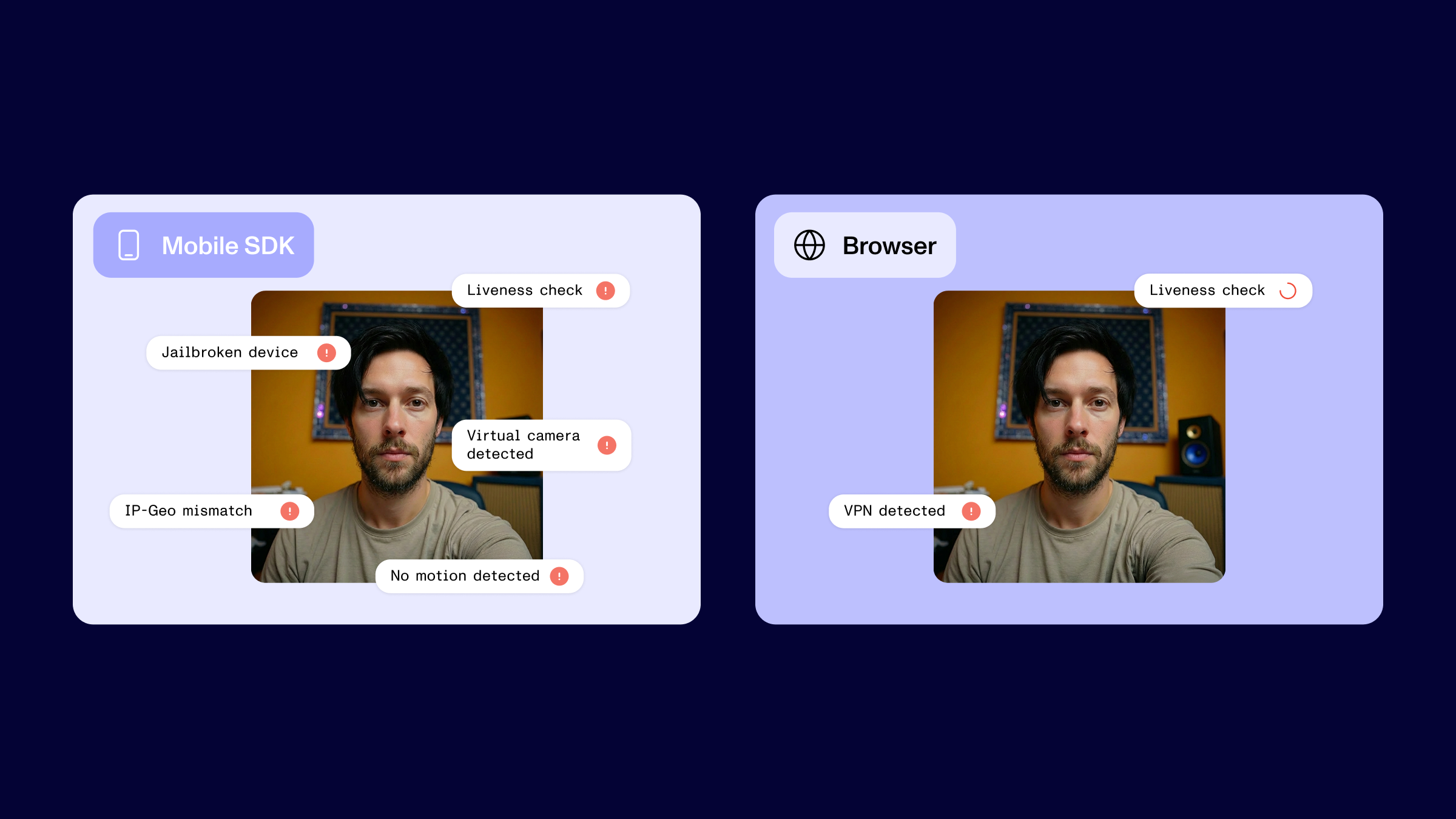


Fraudsters are adaptive actors who follow the path of least resistance. The goal of fraud-fighting teams is often to make the cost of fraud high enough that attackers go elsewhere.
Leveraging Persona’s Mobile SDK raises fraudsters’ costs by requiring identity verification to happen in signal-rich mobile environments.
For years, fraud fighters have layered verification checks and risk signals to detect various types of attacks. Non-visual signals from mobile verifications will become even more important as GenAI models get better at defeating visual checks.
Below, we’ll explore the mobile-specific signals, the fraud patterns they help detect, and how organizations can put them to work. Before we dive in, let’s establish a few key terms.
How Persona defines a few key terms
You may already be familiar with the following ideas, but we want to share our definitions to avoid potential confusion.
What is a signal?
Signals are observations that help you judge the riskiness of a user or transaction. Persona can automatically collect and analyze a wide range of signals to strengthen your fraud defenses, including passive signals based on a user’s device, network, and activity. For example, device type, VPN usage, and distraction events. Some high-fidelity signals provide sufficient evidence to determine legitimacy, but stacking multiple signals often offers the best results.
What’s the difference between a “mobile web” and a native mobile app?
The mobile web and a native mobile app both let users access services on a phone, but they’re built and delivered differently. The mobile web (a browser on a phone) shares many of the capabilities, constraints, and attack surfaces as a desktop browser. Meanwhile, a native mobile app is a dedicated application within the operating system, with its own permissions and security controls.
What is a mobile SDK?
A mobile SDK is a software package that can be embedded directly into a native mobile app. Persona’s Mobile SDK is one way customers can integrate Persona’s verification flows directly into their mobile experiences. In this case, the SDK serves as a trusted bridge between the app and the operating system, enabling access to device signals that aren’t available through a browser.
What makes mobile app IDV a better choice for fraud fighting?
While browser-based and native mobile verification flows may look similar on the surface, they operate in fundamentally different environments. Those architectural differences determine what signals you can collect, how much you can trust the results, and how effectively you can detect and prevent fraud.
Browsers limit what you can observe. Browsers are intentionally sandboxed, exposing only a narrow set of APIs to web applications. That protects users from malicious websites, but it also limits the information available during a verification flow. Because you have less visibility into the device and application environment, there’s a ceiling on the risk signals you can collect and use for decisioning.
App-based verification flows allow you to capture more signals. Native mobile apps offer access to OS-level information about the device, application environment, and user interactions while still respecting the platform’s permission and security model. This enables organizations to gather richer, harder-to-spoof signals that they can combine with other data points to make more accurate risk decisions.
Browsers also present a much larger attack surface. Bad actors can use developer tools, extensions, headless browsers, and network interceptors to manipulate a web-based verification session.
But on native mobile apps, attackers need to jailbreak or root a mobile device and load injection software before attempting to inject fraudulent content. Each of those steps could flag a separate risk signal.
What types of risk signals are unique to mobile-based flows?
Requiring users to complete IDV on a mobile app can give you access to signals that aren’t available or have lower fidelity in browser-based environments, including:
Hardware-based signals, such as battery level and motion sensor data.
GPS-based geolocation rather than approximations from an IP address.
Silent Network Authentication for verifying SIM cards and phone numbers.
App integrity signals from Apple App Attestation and Google Play Integrity.
Device and app tampering detection based on unexpected changes to an app, SDK, or OS.
There are some potential downsides to mobile IDV flows. For example, some users can’t or don’t want to use their phone for verification, and older phones may lead to low-quality image capture. Choosing to support non-mobile alternatives could be a good business decision in some cases, but know that you’re likely missing some fraud coverage as a result.
Mobile-based flows help you detect identity fraud attacks
At Persona, we encounter a wide range of fraud vectors that exemplify the tricky nature of fraud fighting. You can broadly put these identity-based attacks into one of three categories:
Presentation attacks: A fraudster presents a fake or manipulated document, image, or video to a camera to spoof a visual check. These can vary from the attacker holding up a printed image of a face to using custom-made silicone masks.
Injection attacks: Fraudsters bypass a device’s physical camera to inject or stream content, including deepfake selfies, GenAI documents, and stolen selfie recordings. Today, attackers can use AI or fraud as a service tools to conduct injection attacks that previously required technical skills.
Identity muling: Bad actors recruit real people who willingly share identifying information, images, or videos. Recently, we’ve seen fraudsters combine genuine selfies with fake identifying information to create synthetic identity mules.
6 fraud setups that mobile-based signals help detect
When the verification flow runs as native code on a mobile device, you can more easily detect the following setups that fraudsters use to conduct their attacks:
Device jailbreaking and rooting: Jailbreaking and rooting remove an operating system’s built-in restrictions and are prerequisites for many mobile-based fraud attacks. Detections look for suspicious file paths, the presence of root management apps like Magisk, and attempts to write to locations the app shouldn’t be able to access.
Emulators and simulators: Emulators or simulators are software environments that mimic a mobile device. Fraudsters use them to run hundreds of fake phone sessions from their laptops. Detections look for emulator fingerprints, such as virtual hardware or missing sensors.
App repackaging: Attackers decompile the original app, patch out the security checks, repackage it, then try to use the modified app for verification. Google Play Integrity API (on Android), Apple App Attestation (on iOS), and other application checks can cryptographically verify that an app hasn’t been tampered with and that it’s running on a genuine, non-compromised device.
SDK version downgrades: An attacker forces a run on an old version of the verification SDK by using an old version of the app. This is a low-sophistication technique that doesn’t require special tooling. To combat this, collect the SDK version during every flow and flag users running outdated versions.
Session hijacking: Attackers intercept and modify API traffic through a proxy or similar tool to conduct a man-in-the-middle attack. When mobile SDKs send data to servers for processing, they can attach a hash of the data at the moment it is captured. The server independently recomputes the hash from the data it receives. If the two values don’t match, it’s a signal that the contents were altered in transit.
Dynamic instrumentation: Attackers use tools like Frida or Xposed Framework to tamper with an app at runtime. On Android, detections look for Frida-related threat events and flag repackaged Android applications or rooted devices. On iOS, they scan for the Frida server binary and known instrumentation libraries in memory.
Each of these setups is easier to detect when you have the extra information from mobile-based verifications.
How Persona turns mobile signals into fraud defense
While companies can collect signals by building the infrastructure themselves, doing so requires significant engineering effort and ongoing maintenance. Persona seamlessly collects risk signals and connects them to the rest of your identity stack.
Here’s what’s enabled with Persona’s Mobile SDK:
Collect signals without adding friction: The SDK is designed to capture mobile risk signals automatically during the verification flow. We collect many signals, like jailbreak detection, emulator detection, and app integrity, in the background without adding any friction for users.
Use ensemble models to detect fraud: Persona develops ensemble ML models that layer micromodels trained to detect specific vectors and signal types. The approach can improve detection and enable rapid deployment cycles, which helps us stay ahead of new fraud vectors and techniques.
Unify data to improve fraud decisioning: Rather than stitching together signals from a point solution and decisioning from another vendor, you can use Persona to collect signals and build verification flows. This automated, transparent, and real-time decision-making helps teams stop fraud while delivering a smooth experience for legitimate users.
To explore how Mobile SDK integrates into your verification flow, talk to our team or dig into the docs here.
The information provided is not intended to constitute legal advice; all information provided is for general informational purposes only and may not constitute the most up-to-date information. Any links to other third-party websites are only for the convenience of the reader.