
8 ways I use Graph to uncover fraud rings



As a fraud analyst at Persona, I have to balance working on fraud escalations for specific customers and keeping an eye on cross-customer (and cross-industry and cross-region) fraud trends. The work naturally overlaps, as one escalation can turn into a trend as fraud rings move on to new targets. And, getting ahead of large trends helps us stop escalations.
I have a lot of tools at my disposal, but I want to discuss Graph, Persona’s real-time link analysis product. If you’re not familiar with link analysis, here’s a blog post from 2022 (when we were developing the product) that covers the basics. There’s also a recent ebook that offers a much deeper dive into link analysis for fraud fighters.
Below, I’ll share eight ways I use Graph to investigate, shut down, and prevent fraud.
1. I look for accounts linked by high-precision attributes
It’s normal for multiple accounts on a platform to share certain attributes, and every fraud fighter has to consider context when making a decision. But some attributes are almost always associated with fraud when they’re shared across accounts or verification attempts.
These high-precision signals are a good place to start when I’m trying to surface fraudulent accounts for investigation or removal, and examples include:
Device fingerprint
Device token
Government ID number
(I know a lot of underlying signals go into something like “device fingerprint or token,” but our device intelligence is good enough that we regularly find these to be high-precision signals for our customers.)
With this in mind, if I’ve identified an account that I believe is engaging in fraud, I’ll often start my investigation by looking for other accounts that are linked by one or more of these high-precision attributes. Graph makes it easy to surface the low-hanging fruit and make bulk decisions on the accounts.
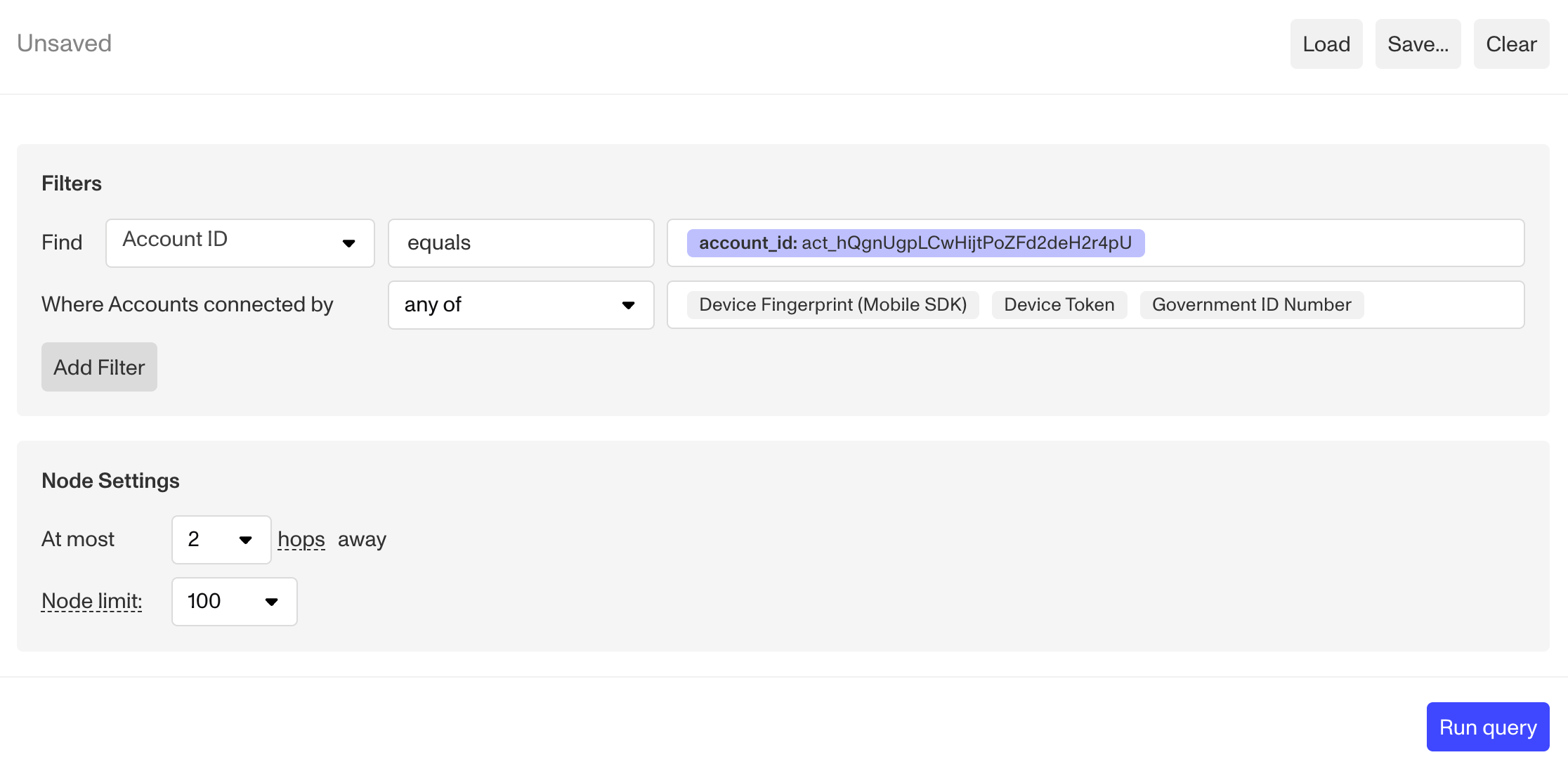
I still have to consider an organization’s context, of course. Sometimes people share devices, such as a family computer. Or, some companies allow users to create multiple accounts using the same identifying information. That’s where understanding the context and setting specific thresholds can greatly increase true positive rates.
2. I look for accounts linked by similar images
This is more of a deep dive on a high-precision attribute, but it’s worth pointing out because of how well it works within Graph. Plus, a lot of the most advanced fraudsters have gotten good at swapping devices and hiding or spoofing details.
We’ve built several types of image similarity nodes, which can be especially helpful for catching fraud rings using templates, deepfakes, and identity mules. For example, they can catch accounts using AI-generated assets that share similar faces or backgrounds.
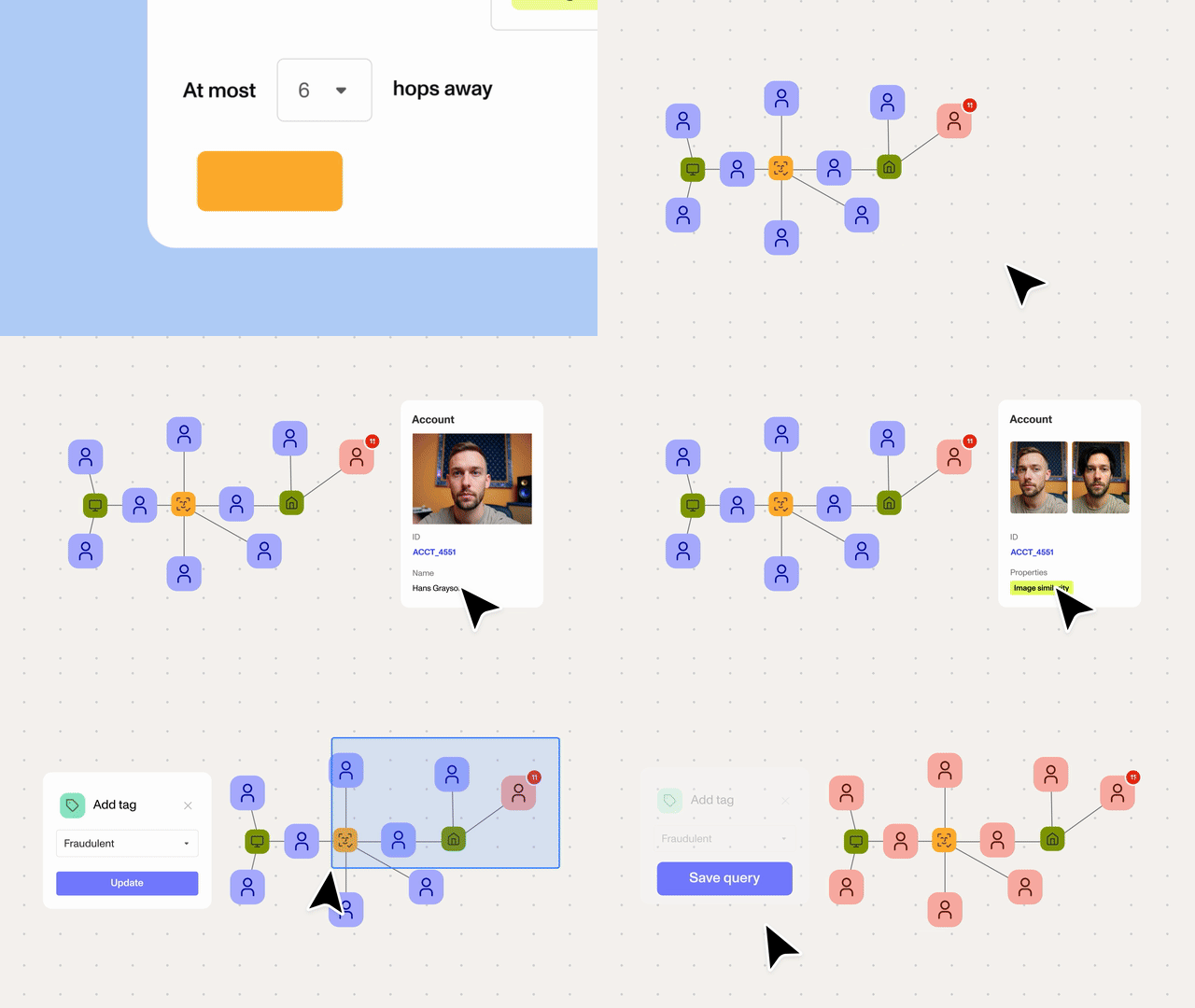
The view in Graph Explorer, the visual interface, makes it easy to see side-by-side images during investigation. I also recommend rules and automations for customers that want to incorporate real-time image similarity checks into their verification flows.
3. I consider the context to suggest new rules
As I uncover fraudulent accounts and begin to understand the fraudsters’ tactics, I’m often able to use what I learn to suggest new rules. But I still have to consider an organization’s context, of course.
For example, a crypto trading platform might allow users to have multiple accounts. At the same time, the platform needs to differentiate between legitimate users and fraudsters with multiple accounts.
The platform can’t simply flag every account that shares attributes, because the legitimate accounts will likely share high-precision device, network, user, and behavioral attributes. But it can set a threshold for how many linked accounts are acceptable.
I can also filter results in different ways. For example, I might want to:
Find accounts linked via device fingerprint and limit results to devices used in the past 30 days.
Add a “mismatch” rule to de-dupe accounts by another graph node. For instance, I can find accounts that are linked by device fingerprint, but have different gov ID numbers.
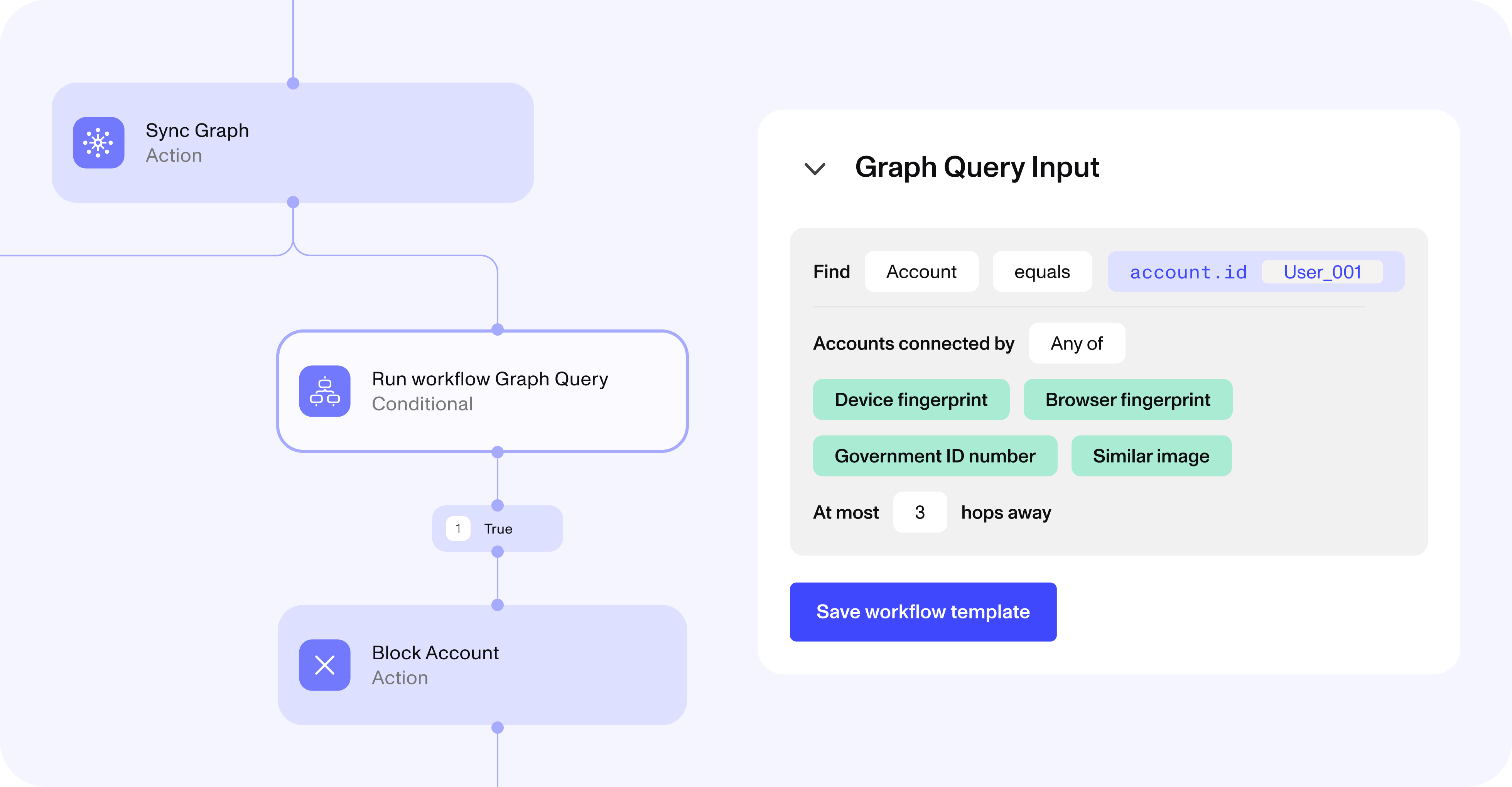
The exact thresholds and filters are business decisions, and they might depend on the organization’s goals or its users’ standard behavior. But once we establish a threshold and filters, it’s easy to create Graph query templates that flag anomalous clusters of accounts. Then, customers can add these templates to existing or new user flows and automatically decision on the results.
4. I also look for attributes with high recall and low precision
On the other end of the spectrum are high-recall, low-precision attributes, such as:
Browser fingerprint
IP address
Physical address
Here, again, I’ll often start with a known fraudulent account. When accounts are linked by these attributes, it could be due to fraud or something completely benign. But stacking multiple low-precision attributes or looking for especially large clusters can increase the fidelity.
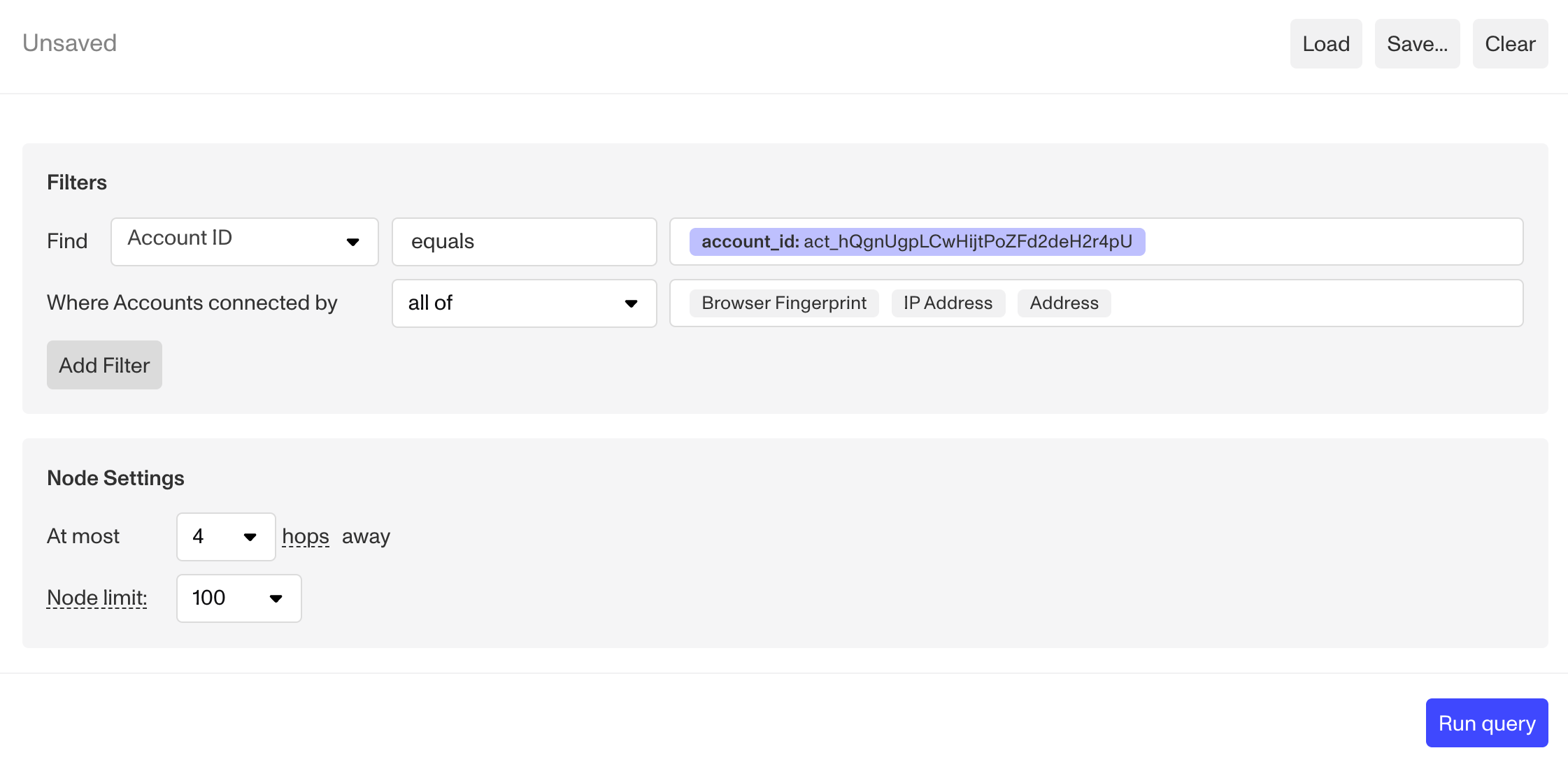
If filtering by high-precision attributes is akin to fishing with a rod and hook, then filtering by high-recall, low-precision attributes is more like fishing with a net. You’re going to surface a lot more accounts, and not all of them are going to be fraudulent. But they can be a great place to start a deeper investigation.
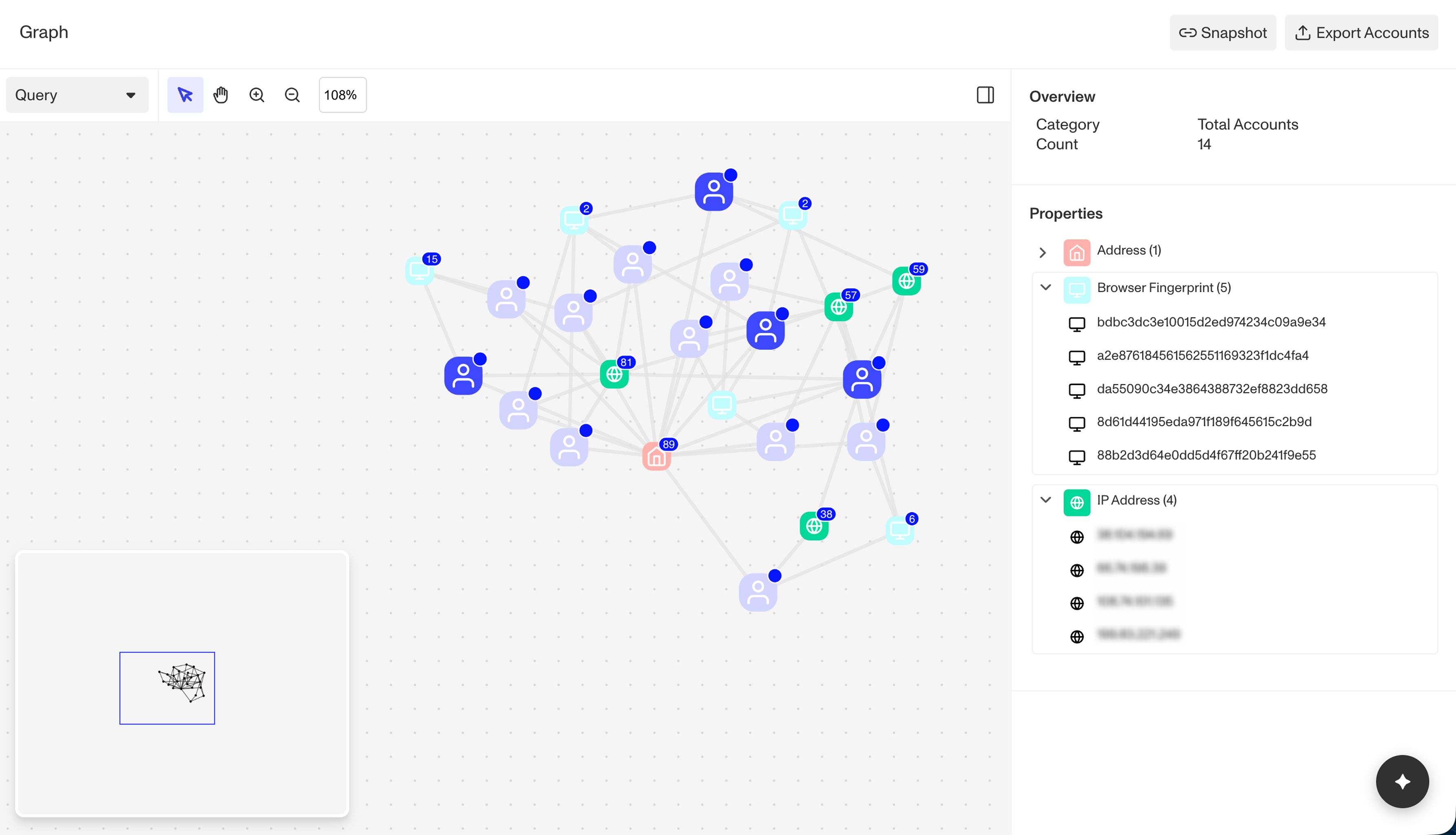
5. I work with custom attributes and nodes
Persona’s Graph works with many of the signals and attributes we automatically collect during inquiry flows. I can also work with data that customers collect using the Persona Sentinel SDK, which is helpful for gathering device, network, and behavioral signals outside of inquiries, and with data from our third-party Marketplace partners.
I also find that customers’ proprietary information can be really helpful within Graph. For example, we can use insurance policy numbers, bank account numbers, and business names as Graph nodes. We also have more “novel” nodes, such as camera fingerprint (a representation of a device’s camera properties). Really, anything can be a Graph node as long as we can extract it and/or our customer can pass that value to us.
6. I look multiple “hops” away
When I uncover a fraudulent account, it’s relatively easy to surface other accounts that are directly linked to it via shared attributes. For example, if the fraudulent account shares a device fingerprint with 25 other accounts on your platform, it’s a pretty straightforward assumption that the linked accounts are also fraudulent.
But what about accounts that are linked to those accounts, or linked to accounts that are linked to those accounts? Looking multiple “hops” away is also really important for understanding the extent of the fraud within your environment.
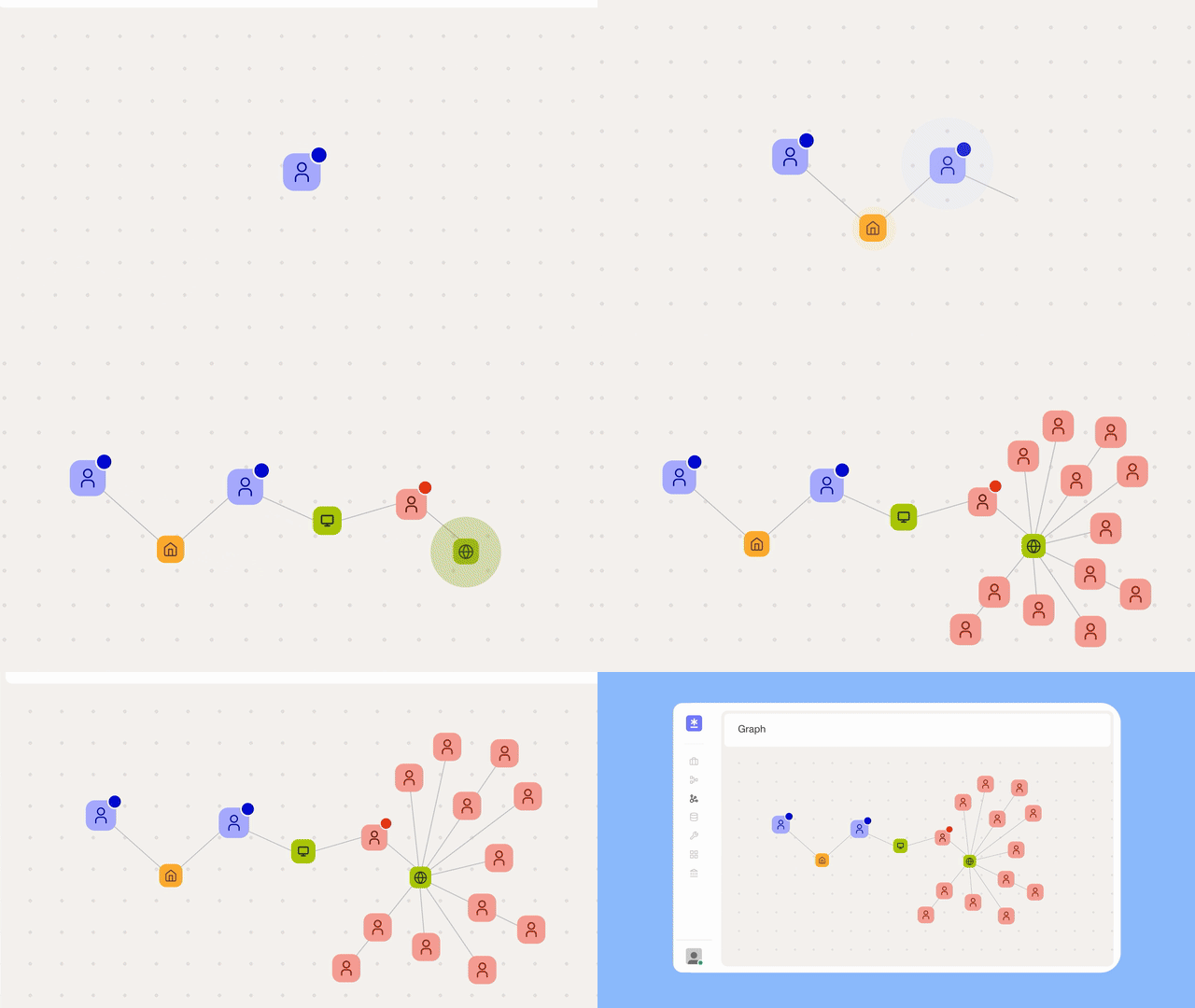
Multi-hop Graph queries can also be important for uncovering certain types of fraud. For example, sometimes fraudsters hire identity mules to create accounts. The mules might use their own device, real identification documents, and take a genuine selfie, so many verification and deepfake checks won’t flag these.
Image similarity sometimes does if the mules are taking selfies from the same location. And multi-hop Graph searches can also show me what’s going on. Here’s a real result showing a fraudster (maybe a ringleader or broker) connected to a device shared by fraudsters on the left and an IP address shared by identity mules on the right.
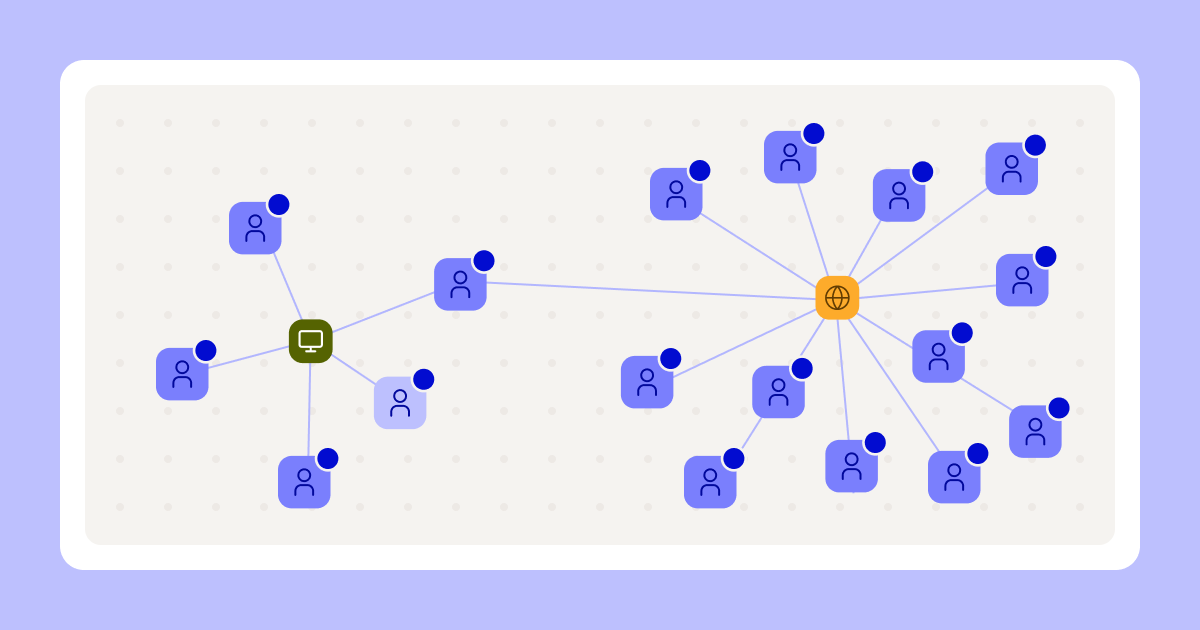
7. I conduct top-down investigations to help automate decisions
Above, I shared some of the ways I conduct bottom-up investigations by starting with a single account or fraud ring. But I also regularly conduct top-down investigations by starting with a global search inside a customer’s environment.
For example, I’ll search for something like, “all accounts linked on device fingerprint in the past two weeks, only return clusters with more than five accounts.” The top-down search helps confirm the precision of a rule I want to build and decision on. Then, I audit the accounts returned in the Graph query to confirm that they are all fraudulent.
If all goes well, I can suggest rules that automatically block new fraudulent attempts from known bad actors without increasing false positives. It’s a relatively easy way to keep known fraudsters off a platform and to keep attacks from scaling.
8. I use “reverse Graph queries” to increase precision
When generic top-down queries aren’t returning precise results, I turn to a “reverse Graph query.” It’s not technically a reverse query in our environment, but it is a reversal of my usual process.
Essentially, I seed a Graph query with multiple accounts that were flagged for inappropriate behavior or fraud. Then I can use the shared attributes to build queries that can automatically flag new fraudulent activity.
Uncovering fraud rings with Graph
Graph is an important part of my investigations, research, fraud audits, and suggestions. And an important layer in Persona’s multilayered approach to fighting fraud. I regularly use it to uncover fraud rings and find myself suggesting Graph queries that help customers automate decisions and improve their precision and recall rates.
If you want to learn more about Graph, there’s a video and details on the product page, and another blog post that discusses some of Graph’s recent upgrades.
The information provided is not intended to constitute legal advice; all information provided is for general informational purposes only and may not constitute the most up-to-date information. Any links to other third-party websites are only for the convenience of the reader.